Fax that files itself
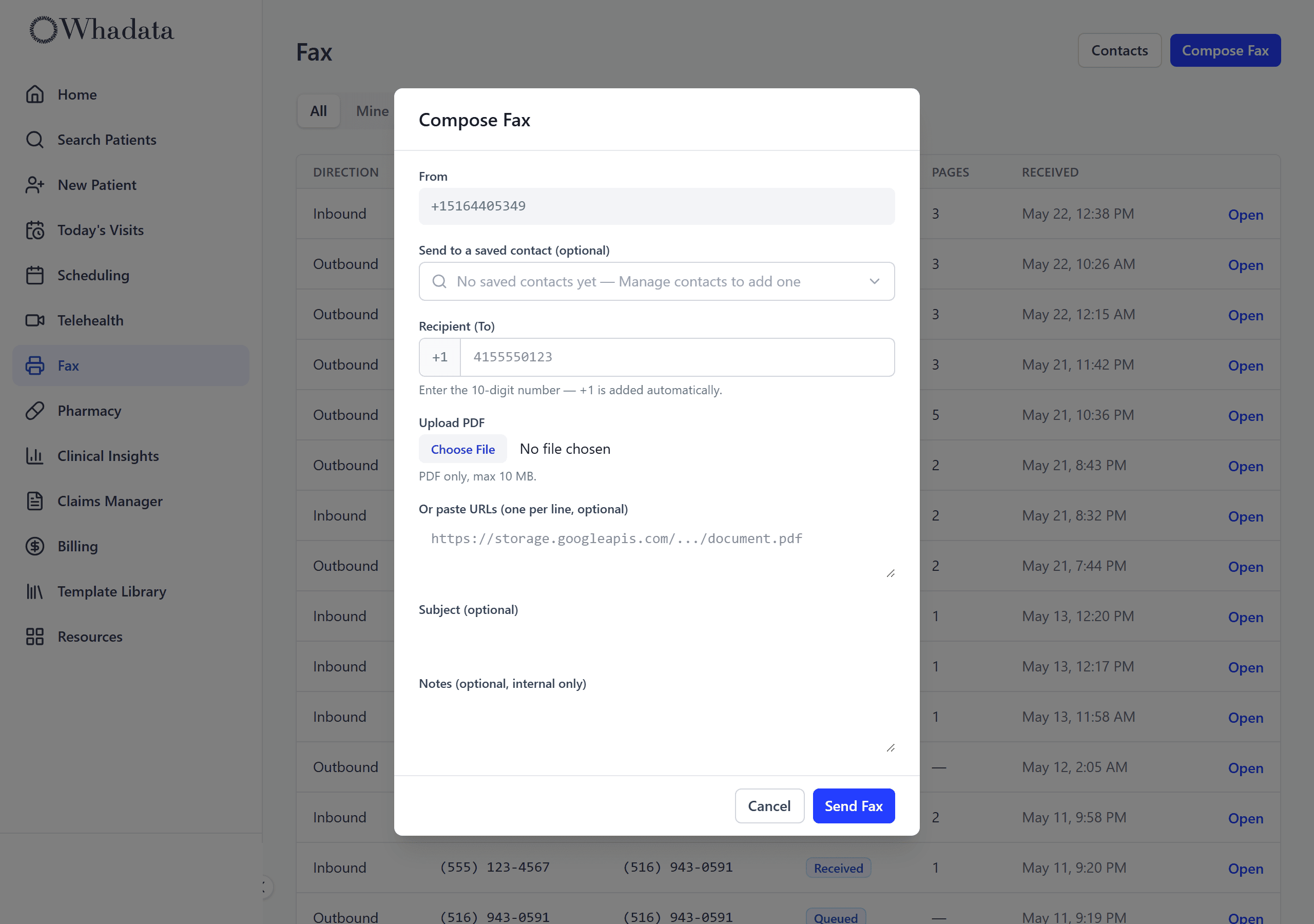
Healthcare still runs on fax. Whadata makes it bearable: send a PDF from your own fax number, receive into one inbox, and let OCR match each incoming fax to the right patient and drop it on the chart. No machine, no paper tray, no guessing who it is for.
Send a fax without a fax machine
Every practice gets its own fax number. Upload a PDF, pick a saved contact or type a number, and send. Delivery status comes back to the inbox, so you know it went through instead of staring at a confirmation page.
- Your own provisioned fax number
- Send any PDF from the dashboard
- Saved fax-contact directory
- Delivery status: queued, sent, failed
Every incoming fax, in one inbox
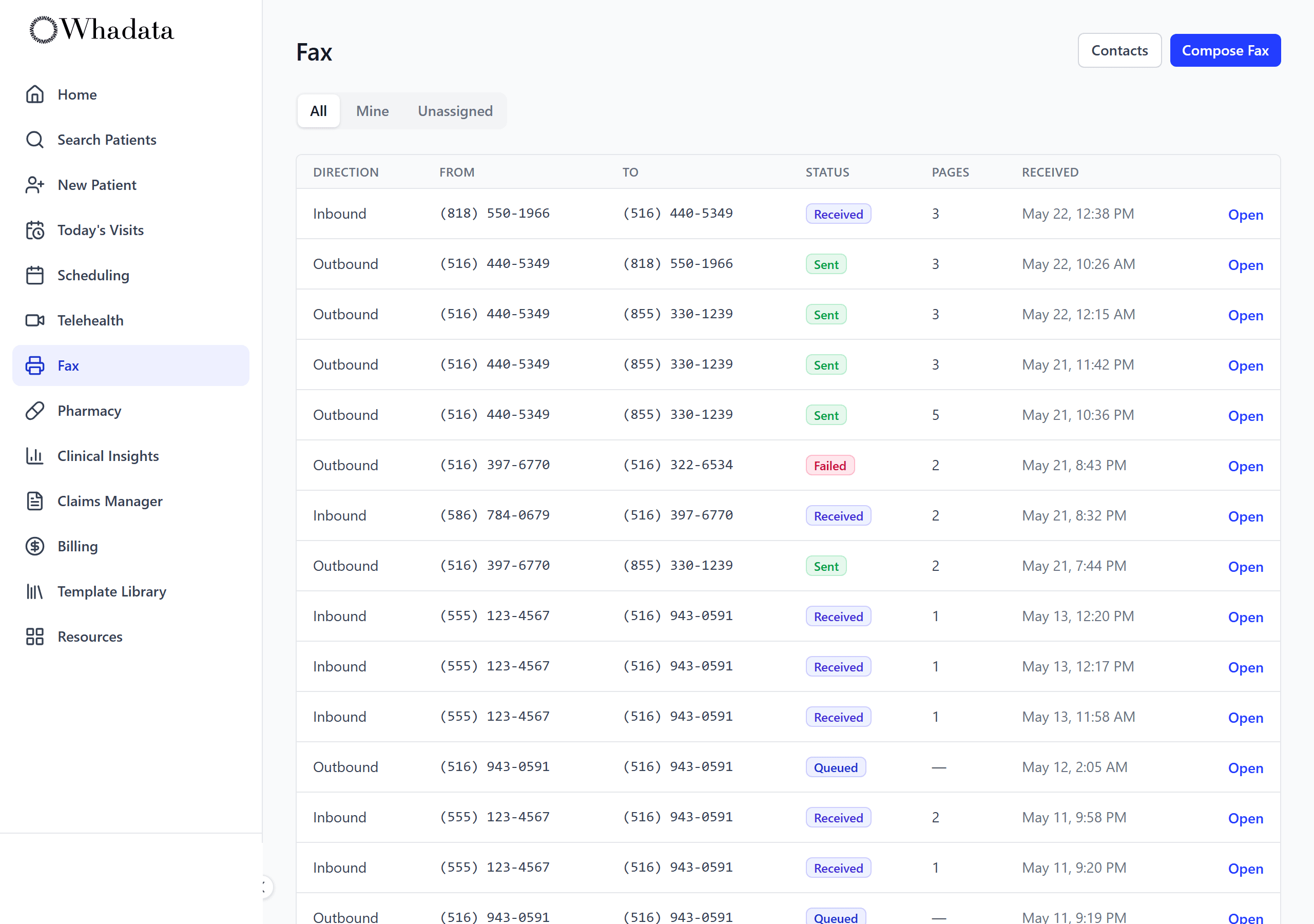
Inbound faxes land in a shared inbox as PDFs, not on a machine in the back room. Each one is OCR-read on arrival so its text is legible and ready to route. Open, read, and act on them from the same screen as the chart.
- Shared inbound inbox, faxes as PDFs
- OCR on every incoming fax
- Delivery and assignment status at a glance
- Re-run OCR if a scan comes in rough
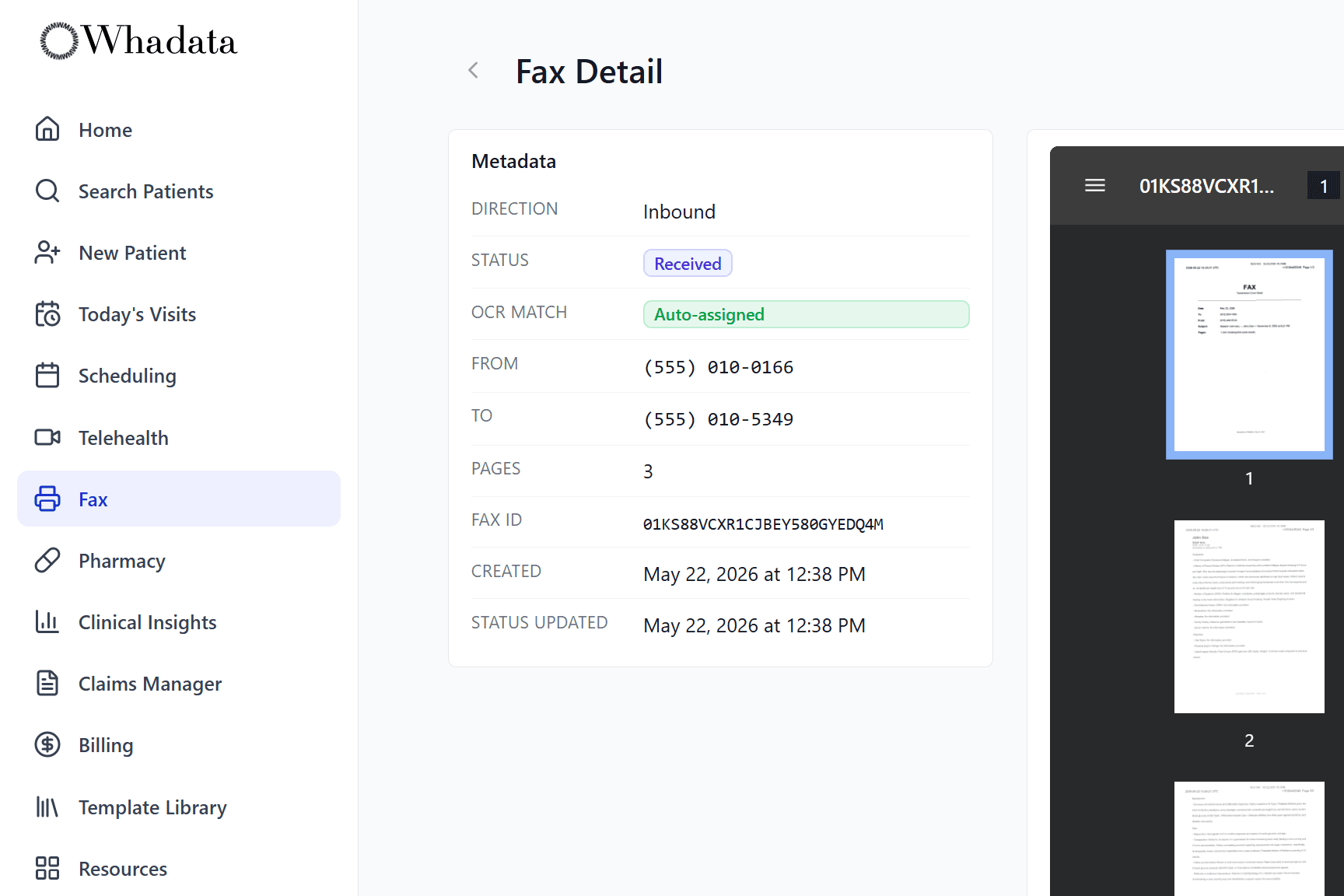
It figures out whose chart it goes on
OCR reads each inbound fax and matches it to a patient automatically. High-confidence matches are assigned on their own; anything unclear is flagged for a quick manual assignment. Either way the fax ends up on the right chart instead of a pile on the counter.
- OCR auto-matches faxes to the patient
- High-confidence matches assigned automatically
- Unmatched faxes flagged for one-click assignment
- Filed to the patient chart, fully audited