The notes done before the patient stands up
Hit record and talk to your patient in any of 22 languages. Scribe transcribes live with speaker labels, drafts the note in your template, and turns the visit into billing-ready codes. You watch the patient, not the keyboard.
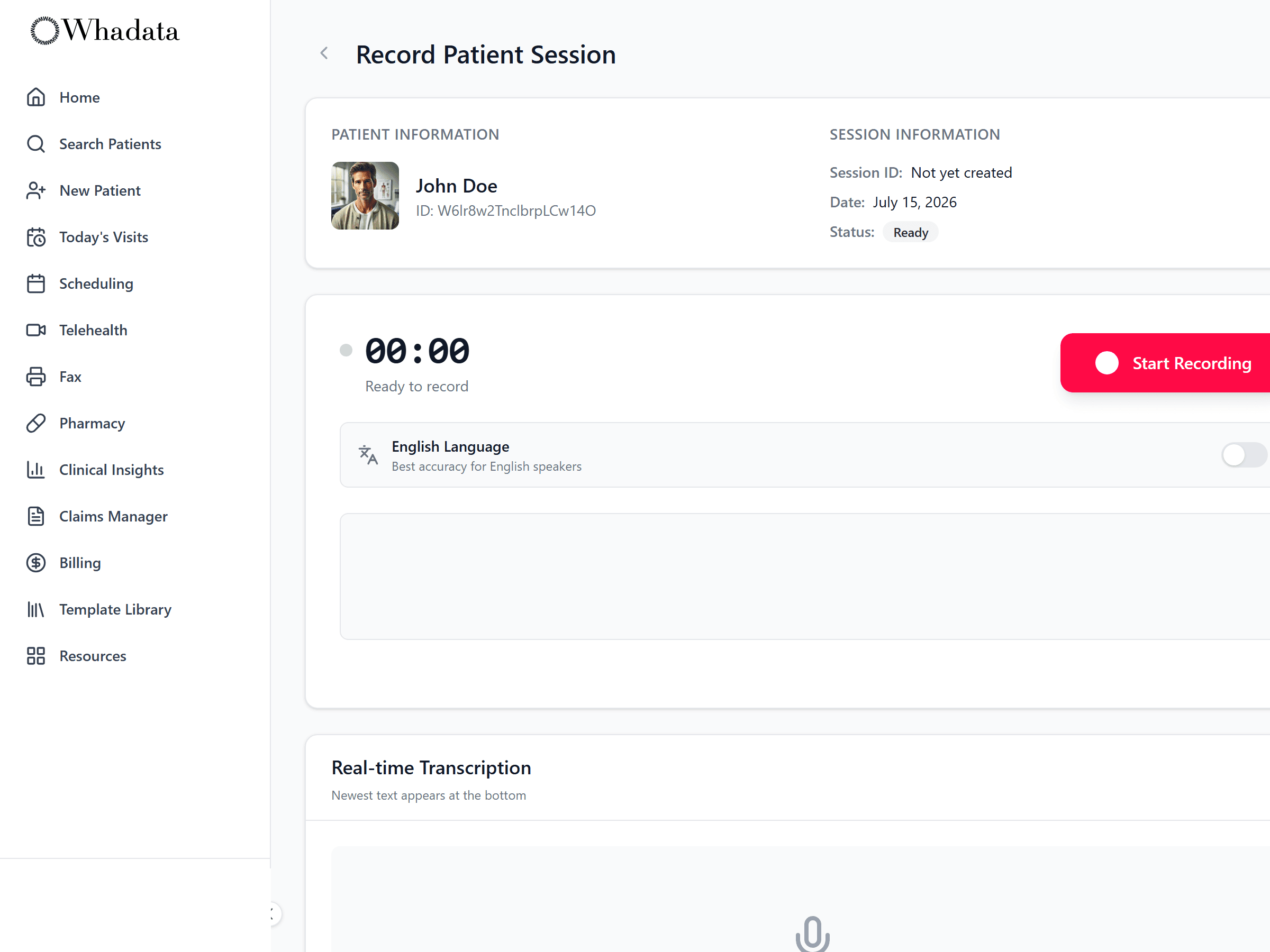
Watch the note build as you talk
Open Scribe on your phone, tablet, or laptop and hit record. Words appear as you speak: interim text first, then locked-in final lines, labeled by speaker. Switch on multi-language and the original sits side-by-side with the English translation. Step out? Pause, then resume right where you left off.
- Speaker labels: clinician vs. patient
- Interim then final text, each with a confidence score
- Pause / resume mid-visit; auto-reconnect if the network drops
- Multi-language transcription across 22 languages
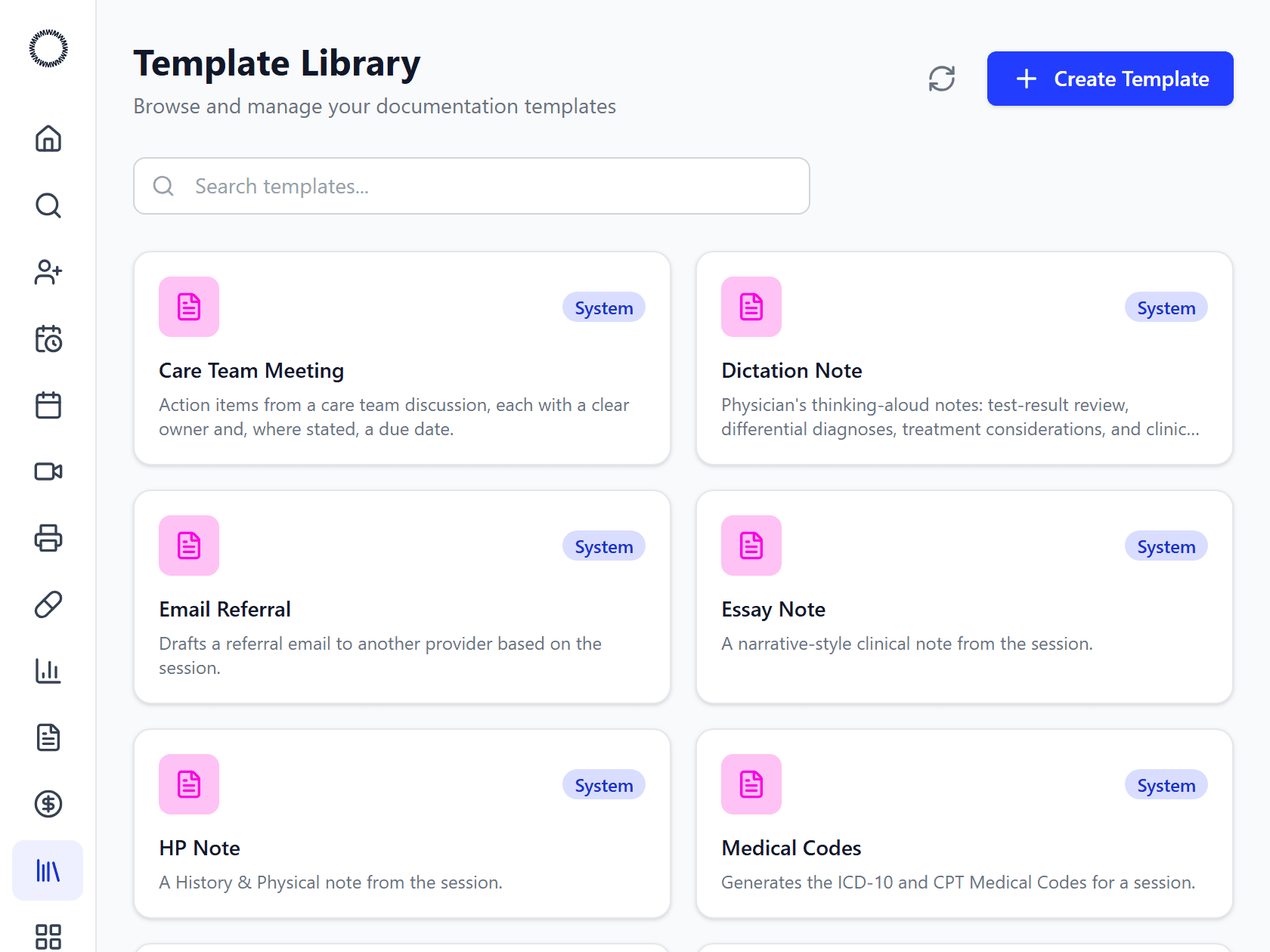
Your note your structure
Pick a format and Scribe writes the note from the transcript: SOAP, H&P, referral letter, dictation, patient summary, care-team note, and more. Don't see yours? Upload your existing template as a Word, PDF, or CSV and Scribe learns its layout. Edit any draft in rich text and regenerate as needed.
- Built-in: SOAP, H&P, referral, dictation, patient summary, care-team
- Upload your own template (Word / PDF / CSV); AI matches the format
- Tag templates by specialty across 20 fields
- Rich-text editing and one-click regenerate
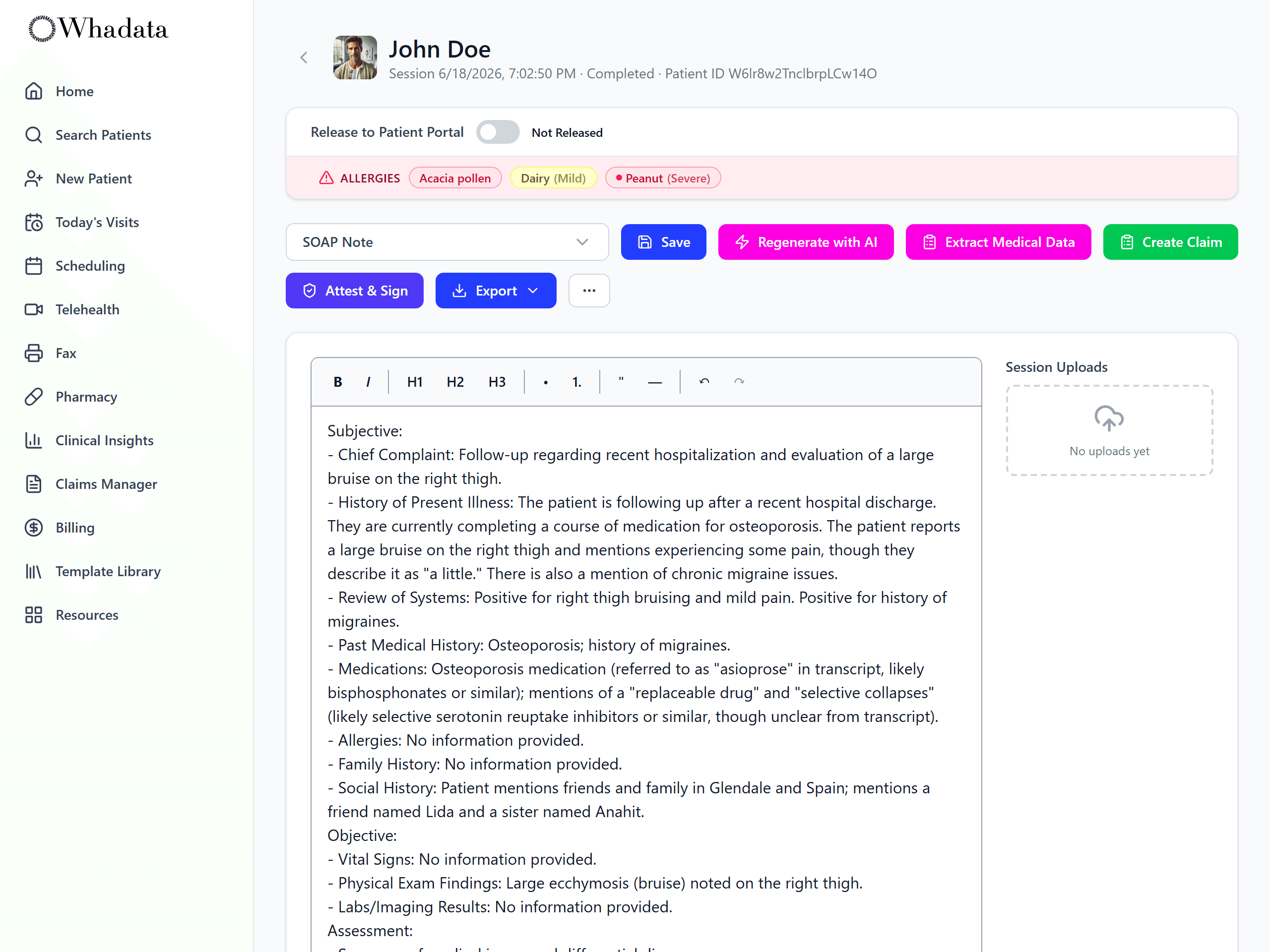
The finished note, ready to sign
The transcript comes back as a structured note in the format you picked: subjective, objective, assessment, and plan, each built only from what was actually said. Review it, edit anything, attest and sign, release it to the patient portal, or export it, without retyping the visit.
- Structured SOAP, H&P, referral, and more
- Built only from what was said in the visit
- Review, attest and sign, and release to the portal
- Extract codes or create a claim in one click
Stop typing after dinner
Book a demo and see Scribe in action on your specialty's workflow.